


Contents
- 1 Introduction
- 2 Quick Answer
- 3 1. What Is Generative UI and Why Is Everyone Talking About It?
- 4 2. How Is AI Changing User Interface Design?
- 5 3. Can AI Really Design an Entire User Interface?
- 6 4. How Does Generative UI Create Personalized Experiences?
- 7 5. What Technologies Power Generative UI?
- 8 6. What Are the Benefits of Generative UI for Businesses?
- 9 7. What Are the Limitations of AI in UI Design?
- 10 8. Will AI Replace UI Designers or Change Their Role?
- 11 9. What Does the Future of Generative UI Look Like?
- 12 10. FAQs
- 13 11. What Should Businesses Know Before Adopting Generative UI?
Introduction
Designing a great user interface has never been just about making screens look beautiful. Every button, layout, navigation menu, and interaction is carefully created to help users complete tasks quickly and confidently.
But what if software could generate those interfaces for you?
Imagine describing your product in one sentence “Build a mobile banking app for first-time investors” and instantly receiving responsive layouts, navigation structures, personalized dashboards, and interactive prototypes. Instead of starting with a blank canvas, designers begin with intelligent possibilities.
This is the idea behind Generative UI.
Unlike traditional AI UI design tools that simply assist with design tasks, Generative UI uses Generative AI in UI design to create adaptive interfaces based on user intent, business goals, and real-time context. It’s changing how digital products are designed, personalized, and developed and it’s redefining the future of UI design.
In this guide, you’ll discover how Generative UI works, what technologies power it, its benefits and limitations, and whether AI will eventually design entire user interfaces or become the ultimate creative partner for designers.
Quick Answer
Generative UI is an AI-driven approach to AI user interface design that dynamically creates layouts, components, and user experiences instead of relying on fixed screens. By combining Artificial Intelligence, design systems, and contextual data, it enables software to generate personalized, responsive, and intelligent interfaces that adapt to different users and devices.
1. What Is Generative UI and Why Is Everyone Talking About It?
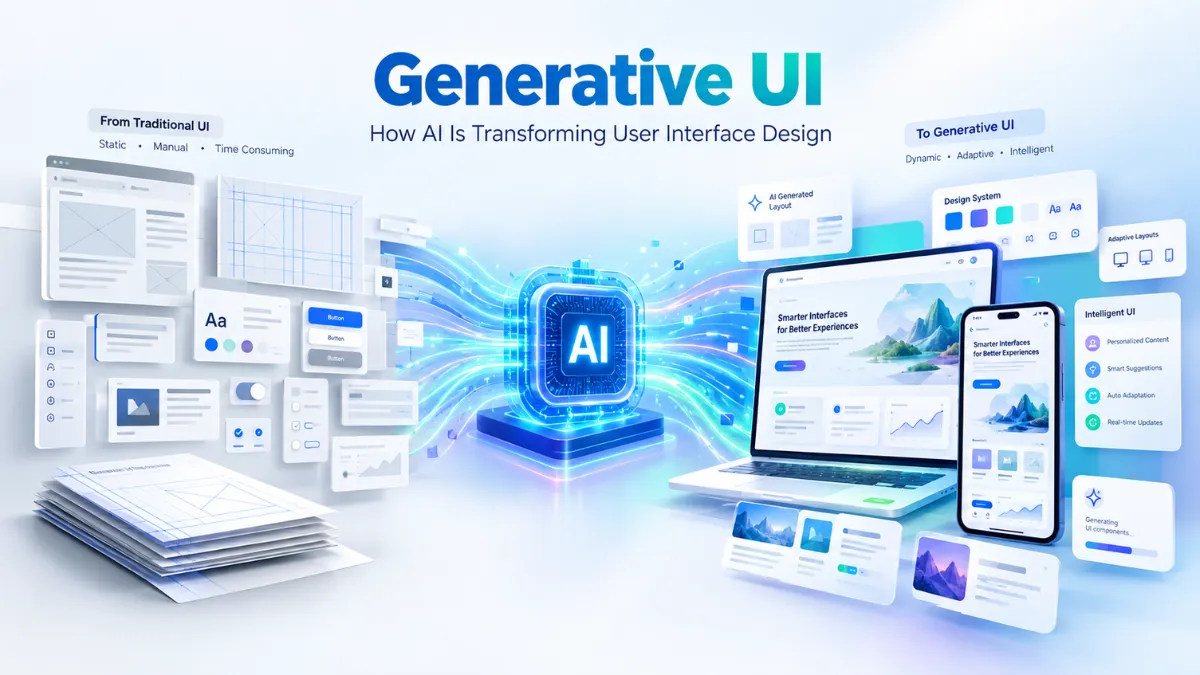
Generative UI is an emerging approach to AI user interface design where interfaces are created dynamically instead of being manually designed screen by screen. Rather than relying on static layouts, AI generates components, navigation, content structure, and responsive experiences based on user intent and context.
Traditional UI design follows a predictable workflow: research, wireframes, visual design, prototypes, and development. While this process produces polished interfaces, it can be time-consuming and difficult to personalize for every user. AI-generated UI changes do this by allowing software to generate multiple interface possibilities almost instantly.
The growing interest in Generative UI comes from its ability to combine AI UX design, intelligent automation, and modern design systems into one adaptive experience. Instead of asking “Which screen should we design?”, product teams can ask “What experience does this user need right now?”
This shift is redefining the future of UI design. Designers are no longer limited to creating fixed interfaces they’re building flexible systems that AI can intelligently assemble, personalize, and optimize while keeping human-centered design at the core of every digital product.
2. How Is AI Changing User Interface Design?
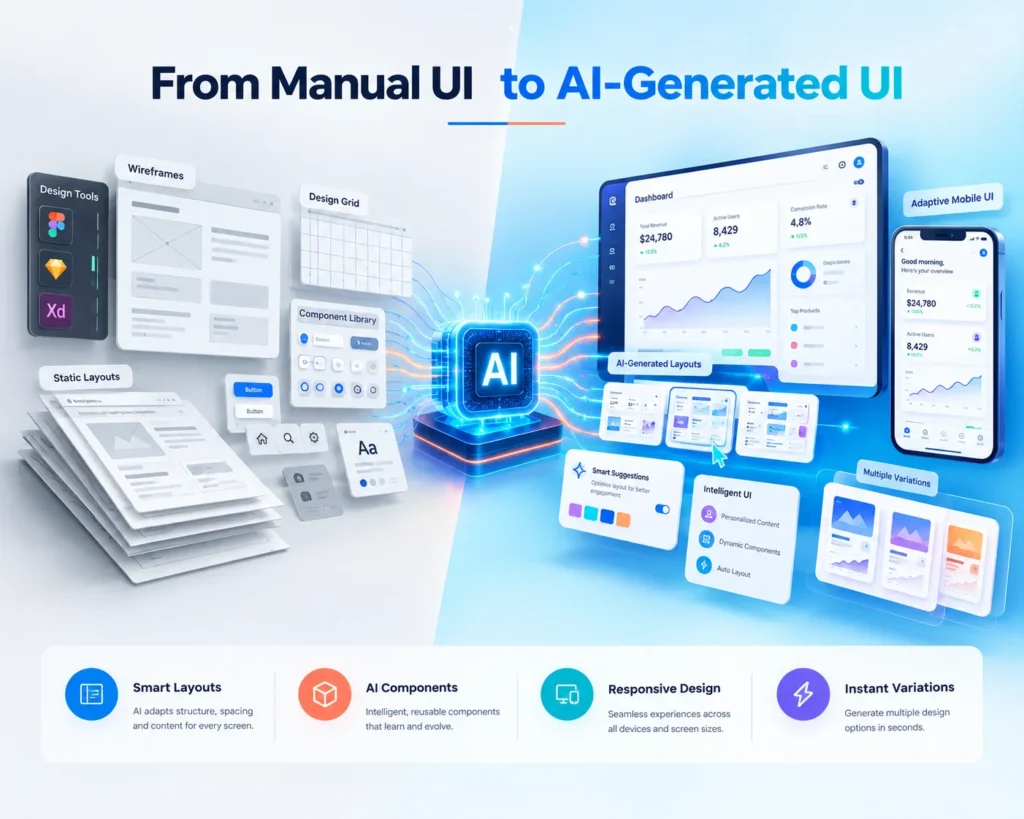
For decades, UI design has been built around creating fixed screens. Designers carefully placed every button, card, menu, and interaction, while developers translated those designs into code. The interface remained largely the same for every user.
Today, AI UI design is changing that workflow.
Instead of starting with a blank canvas, designers can use Generative AI in UI design to generate layouts, suggest components, organize content, and create multiple design variations within seconds. AI becomes a creative collaborator that accelerates ideation rather than replacing the design process.
How Does AI Generate UI Layouts?
Modern AI-generated UI tools analyze prompts, design systems, user flows, and interface patterns to create structured layouts automatically. A single prompt like “Design a healthcare appointment dashboard” can produce responsive screens, navigation structures, and reusable components tailored to the product’s purpose.
How Does AI Understand User Intent?
The real innovation isn’t layout generation it’s understanding intent. By combining context, user goals, and product requirements, AI user interface design can recommend experiences that feel more relevant instead of simply producing attractive visuals.
This evolution is pushing the future of UI design toward intelligent UI systems that help designers spend less time arranging pixels and more time solving real user problems through better experiences.
3. Can AI Really Design an Entire User Interface?
The short answer is yes but only to a certain extent.
Modern Generative UI tools can already create wireframes, responsive layouts, navigation menus, design components, prototypes, and even production-ready code from a simple text prompt. This makes AI-generated UI incredibly valuable during the early stages of product development, where speed and experimentation matter most.
For example, if you ask AI to design a banking dashboard or an e-commerce checkout flow, it can generate multiple interface variations in seconds. Product teams can compare layouts, test ideas, and iterate much faster than traditional design workflows.
What Can AI Design Today?
AI performs exceptionally well at generating:
- Responsive page layouts
- Design system components
- Dashboard interfaces
- Mobile and web prototypes
- UI variations for A/B testing
- Accessibility-aware spacing and structure
What Still Requires Human Designers?
Where AI UI design still struggles is design judgment. AI cannot fully understand brand emotion, user psychology, trust, business strategy, or the subtle decisions that make an experience intuitive. A visually impressive interface isn’t automatically a great user experience.
The future of AI UX design is therefore collaborative. AI accelerates creation, while designers ensure every interface remains meaningful, accessible, and centered on real human needs through human-centered design.
4. How Does Generative UI Create Personalized Experiences?
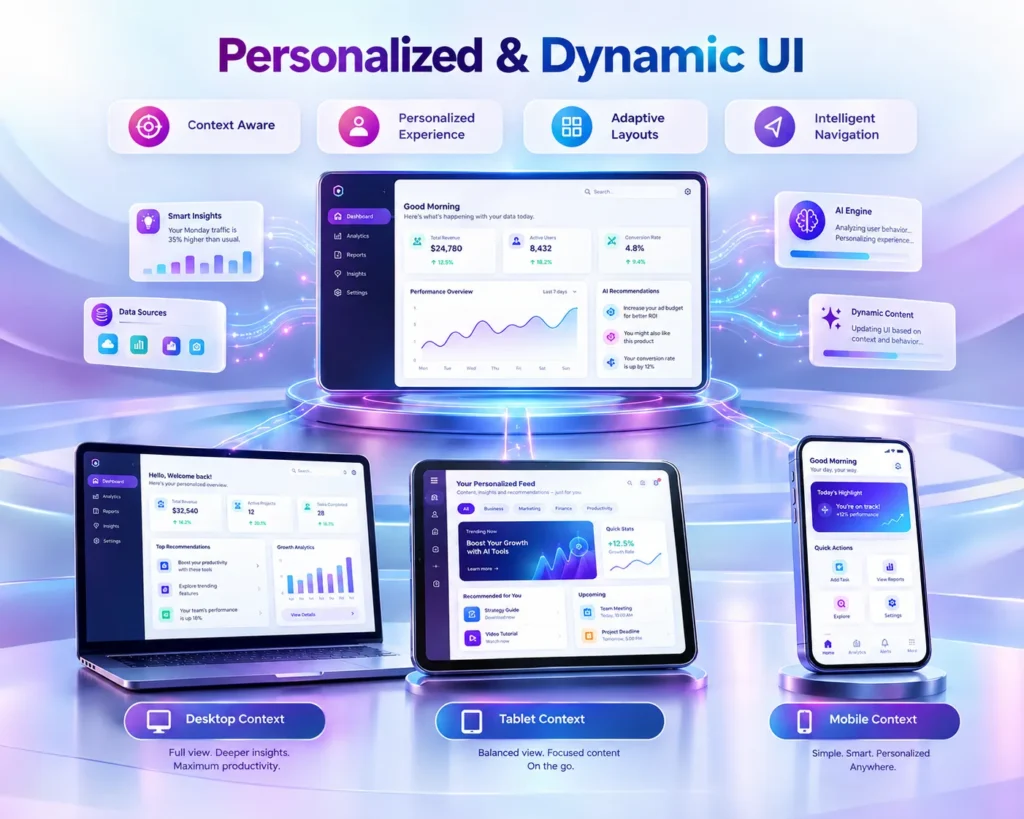
One of the biggest advantages of Generative UI is that it moves beyond one-size-fits-all interfaces. Instead of showing every user the same dashboard, menus, and content, AI can generate personalized UI experiences based on who the user is, what they’re trying to achieve, and the context in which they’re using the product.
This is a major shift from traditional software. Rather than designing a fixed interface for every scenario, dynamic UI allows layouts and components to adapt intelligently in real time.
What Is Dynamic UI?
Dynamic UI is an interface that changes according to user behavior, preferences, device, location, or business context. For example, a first-time banking customer may see educational cards and guided navigation, while an experienced investor sees advanced analytics and portfolio insights.
Why Is Context Important?
Context is what makes AI user interface design truly intelligent. AI doesn’t just generate attractive screens it can prioritize the most relevant actions, recommend content, simplify navigation, and surface information users are most likely to need.
As AI-generated UI becomes more sophisticated, personalization will become a core part of the future of UI design, helping businesses deliver experiences that feel tailored rather than generic while keeping human-centered design at the heart of every interaction.
5. What Technologies Power Generative UI?
Behind every Generative UI experience is a combination of AI technologies working together to transform ideas into functional interfaces. While users see layouts, buttons, and responsive screens, the real innovation happens through intelligent models, structured design systems, and automated UI generation.
The goal isn’t simply to generate attractive screens it’s to create interfaces that are consistent, scalable, and aligned with real user needs.
How Do Large Language Models Help?
Large Language Models (LLMs) allow Generative AI in UI design to understand natural-language prompts such as “Design a travel booking app for families.” Instead of requiring technical design instructions, AI interprets intent and converts it into interface structures, navigation, and content hierarchy.
What Role Do Design Systems Play?
A strong design system gives AI-generated UI consistency. Colors, typography, spacing, components, and accessibility rules become reusable building blocks that AI assembles intelligently rather than inventing from scratch. This helps maintain brand identity across every generated screen.
Can AI Generate Production-Ready Interfaces?
Many modern AI design tools can already generate responsive layouts, reusable components, and front-end code that accelerates AI product design. However, human designers and developers still refine usability, interactions, and business logic to ensure the final experience delivers real value.
As these technologies mature, intelligent UI will become less about drawing interfaces and more about designing systems that AI can continuously adapt and improve.
6. What Are the Benefits of Generative UI for Businesses?
For businesses, the value of Generative UI goes far beyond creating attractive interfaces faster. It helps product teams reduce design time, improve consistency, personalize customer experiences, and accelerate the launch of digital products without compromising scalability.
Instead of designing every screen manually, organizations can use AI UI design to generate multiple interface variations, validate ideas quickly, and iterate based on real user feedback. This allows teams to spend more time solving customer problems and less time repeating design tasks.
Faster Product Development
With AI-generated UI, designers can create wireframes, responsive layouts, and prototypes in minutes rather than days. This significantly shortens product discovery and design cycles.
More Consistent Design Systems
AI product design works best when combined with reusable design systems. AI can automatically apply typography, spacing, colors, and components consistently across every interface, helping maintain a unified brand experience.
Better Personalization
By leveraging personalized UI and dynamic UI, businesses can deliver experiences that adapt to different users, devices, and contexts—improving engagement and customer satisfaction.
Improved Design Productivity
Rather than replacing designers, Generative AI in UI design removes repetitive work such as creating layout variations, resizing components, and generating prototype screens. This gives design teams more time to focus on strategy, usability, and human-centered design.
Ultimately, Generative UI enables businesses to build smarter digital products while delivering better user experiences at greater speed and scale.
7. What Are the Limitations of AI in UI Design?
While Generative UI is transforming product design, it’s important to recognize that AI is not a complete replacement for thoughtful design thinking. It excels at generating layouts and accelerating workflows, but it still struggles with the deeper human aspects of creating meaningful digital experiences.
The biggest limitation isn’t creativity it’s judgment.
Can AI Understand Human Psychology?
AI UI design can recognize patterns from existing interfaces, but it doesn’t truly understand emotions, trust, frustration, or motivation the way experienced designers do. A healthcare app, banking platform, and children’s learning product may all require completely different emotional experiences, even if their layouts look similar.
Why Isn’t Beautiful UI Always Good UX?
A visually polished AI-generated UI isn’t automatically a great user experience. Good AI UX design requires understanding user research, accessibility, cognitive load, business objectives, and simplifying complex journeys. Sometimes the best design decision is removing an element—not generating another one.
What Risks Should Businesses Consider?
Organizations adopting Generative AI in UI design should also consider consistency, data privacy, design originality, and over-reliance on automation. Without strong design systems and human-centered design, AI can produce interfaces that feel generic or fail to solve real user problems.
The future of Generative UI isn’t about replacing designers it’s about combining AI speed with human creativity, empathy, and strategic thinking to create products people genuinely enjoy using.
8. Will AI Replace UI Designers or Change Their Role?
The question isn’t whether AI can design interfaces it’s whether it can replace the thinking behind great design.
Want to explore how AI is reshaping the entire user experience beyond interfaces? Read our in-depth guide on Future of UX with AI: How Human-Centered Design Is Shaping Smarter Digital Experiences to see why human-centered thinking remains essential in the age of AI.
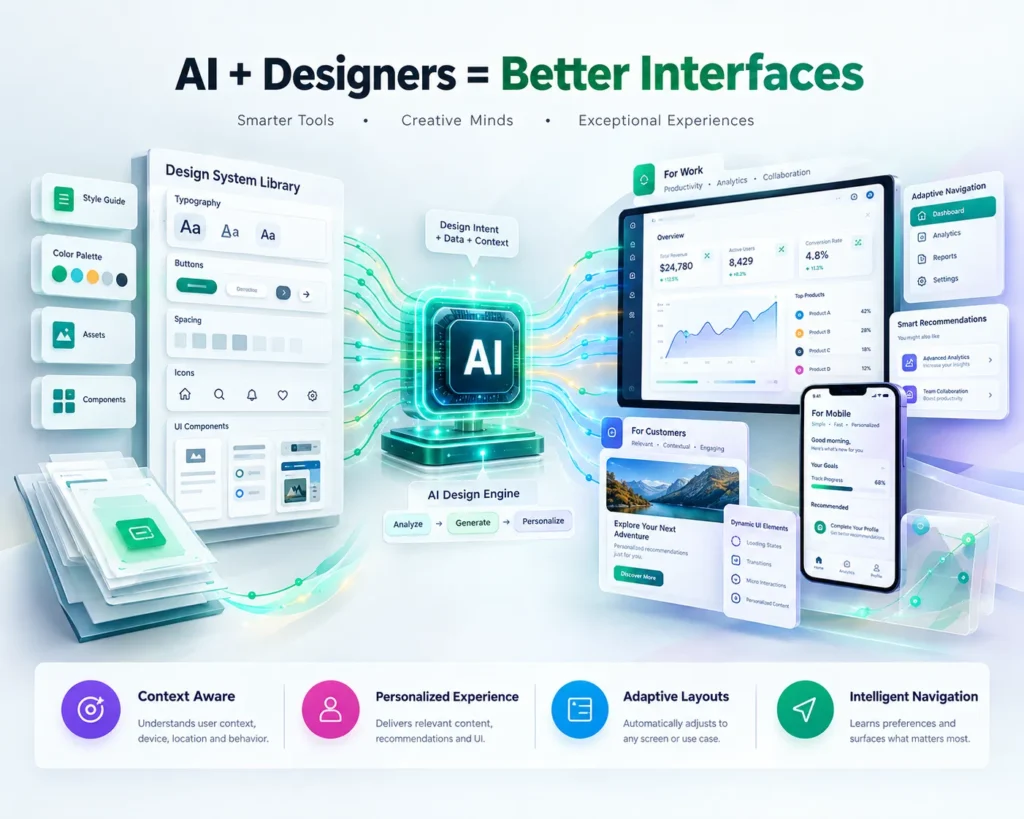
The most likely future is AI + designers, not AI versus designers. Generative UI is changing how designers work by automating repetitive tasks, generating ideas faster, and reducing the time spent creating multiple layout variations. But the responsibility for creating meaningful experiences still belongs to people.
What Skills Will Future Designers Need?
As AI UI design becomes more capable, designers will spend less time drawing individual screens and more time defining user journeys, design systems, accessibility, product strategy, and interaction logic. Understanding user psychology and business goals will become even more valuable.
How Will Designers Work With AI?
Instead of starting from a blank canvas, designers will increasingly use AI-generated UI as a creative starting point. AI can produce prototypes and interface variations, while designers refine usability, visual hierarchy, and emotional experience.
Why Is Human-Centered Design Still Essential?
A successful product isn’t measured by how quickly screens are generated it’s measured by how effectively users accomplish their goals. Human-centered design ensures that every AI-generated interface remains intuitive, trustworthy, accessible, and aligned with real user needs.
Ultimately, the future of UI design belongs to teams that combine Generative AI in UI design with human creativity, making digital products both intelligent and genuinely useful.
9. What Does the Future of Generative UI Look Like?
The next generation of digital products won’t simply have better interfaces they’ll have interfaces that continuously adapt. Generative UI is moving software away from static screens toward intelligent experiences that respond to user intent, behavior, device, and real-time context.
Instead of designing dozens of versions of the same page, product teams will increasingly create flexible design systems that AI can assemble dynamically. This makes intelligent UI more scalable while delivering experiences that feel personal rather than generic.
Will Interfaces Become Fully Adaptive?
Adaptive interfaces are likely to become common across SaaS, fintech, healthcare, and e-commerce products. A first-time user may receive guided onboarding, while an experienced user sees advanced tools and personalized shortcuts all generated through dynamic UI.
Will One Prompt Generate Complete Products?
AI is rapidly improving at turning natural-language ideas into AI-generated UI, including navigation, responsive layouts, components, and even front-end code. While human refinement will still be essential, the time from idea to prototype will become dramatically shorter.
What Will Intelligent UI Mean for Users?
For users, the future of UI design means software that feels more conversational, personalized, and effortless. Rather than learning complex interfaces, people will increasingly describe what they want, and Generative AI in UI design will help build experiences around those needs.
10. FAQs
1. What Is Generative UI?
Generative UI is an AI-driven approach to interface design where layouts, components, and user experiences are generated dynamically based on user intent, context, and design systems instead of being manually created screen by screen.
2. Can AI Design a Complete User Interface?
Yes, modern AI UI design tools can generate wireframes, responsive layouts, components, prototypes, and even production-ready code. However, human designers are still essential for usability, strategy, and experience design.
3. How Is Generative UI Different From Traditional UI Design?
Traditional UI relies on fixed screens and manual design workflows. AI-generated UI creates adaptive interfaces that can personalize layouts and content according to different users and scenarios.
4. Will AI Replace UI Designers?
No. Generative AI in UI design is more likely to change the designer’s role by automating repetitive tasks and accelerating ideation, while designers focus on human-centered design, user psychology, accessibility, and product strategy.
What Are the Biggest Benefits of Generative UI?
The key advantages include faster product development, intelligent personalization, scalable design systems, improved design productivity, and better AI product design workflows for modern digital products.
11. What Should Businesses Know Before Adopting Generative UI?
The future of digital products isn’t about replacing creativity with automation it’s about combining both intelligently.
Generative UI is transforming how businesses design software by making interfaces faster to create, easier to personalize, and more adaptable to changing user needs. From AI-generated UI and dynamic UI to intelligent design systems and conversational experiences, AI is becoming a powerful accelerator for modern product development.
However, the most successful products will not be built by AI alone. Great experiences still depend on human-centered design, thoughtful UX strategy, accessibility, and a deep understanding of user behavior. AI can generate possibilities, but designers provide the judgment that turns those possibilities into products people trust and enjoy using.
At CrossShores Infotech, we help businesses build scalable, intuitive, and future-ready digital products by combining AI, modern software engineering, product development, and UI/UX expertise. As the future of UI design continues to evolve, the companies that embrace AI as a creative partner not a replacement will build better interfaces faster and deliver more meaningful user experiences.